

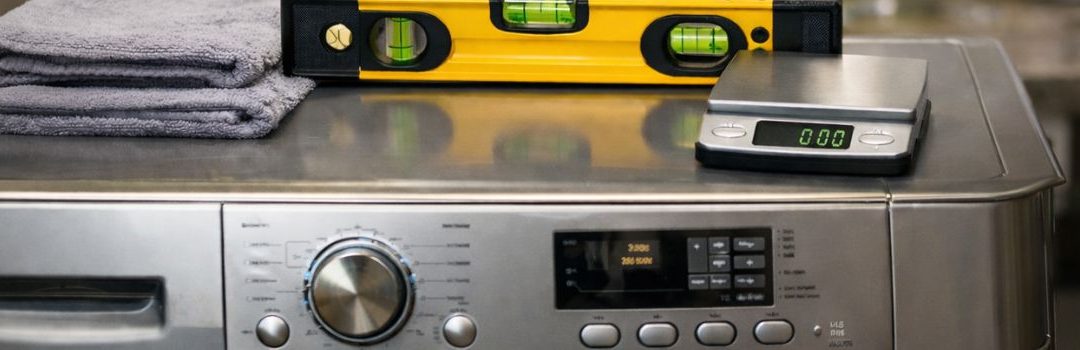
Calibrating your washer is essential for maintaining its optimal performance and extending its lifespan. Proper calibration ensures that your washer uses the right amount of water and detergent, balances loads correctly, and operates efficiently especially when paired with OEM washer parts designed for your specific machine. Without calibration, your washer may experience issues such as poor cleaning results, excessive wear, or even damage over time.
For Langley washer owners, finding detailed calibration guides can be challenging. Many resources are either too generic or tailored to other brands, leaving Langley users without clear instructions specific to their models.
Despite these challenges, there are general calibration principles that apply across most washer brands, including Langley. Understanding these core concepts can help you successfully calibrate your washer, even in the absence of brand-specific instructions. This article will guide you through these fundamental calibration steps to ensure your Langley washer performs at its best.
Understanding Washer Calibration
What is Washer Calibration?
Washer calibration is the process of resetting and adjusting your washing machine’s internal sensors and mechanical components to ensure it operates correctly. This procedure aligns the washer’s sensors with its mechanical parts, optimizing wash quality, sensor accuracy, and overall machine function. Proper calibration helps the washer detect load size, balance, and spin speed accurately, which are essential for effective cleaning and preventing undue wear.
When and Why to Calibrate Your Washer
Calibration is necessary after replacing key components such as control boards, motors, suspensions, or capacitors. These parts directly affect the machine’s sensing and mechanical operations, making recalibration crucial to restore proper function.
You should also consider calibrating your washer if you notice signs like uneven spinning, unexplained error codes, or unusual noises during operation. These symptoms often indicate that the sensors and mechanical parts are out of sync, which calibration can correct to improve performance and prevent further damage.
General Calibration Procedures for Top-Load Washers
Samsung Top-Load Washer Models (e.g., WA49B5205A, WA55A7700A)
To calibrate these Samsung top-load washer models, follow these steps:
- Press and hold the ‘Temp.’ and ‘Delay End’ buttons simultaneously for 3 seconds.
- Press and hold the ‘Start/Pause’ button to initiate the calibration process.
This sequence allows the washer to adjust and calibrate itself for optimal performance.
Samsung FlexWash Upper Washer (WV9900M)
For the Samsung FlexWash upper washer, perform the following:
- Press and hold the ‘Normal’ and ‘Temp.’ buttons simultaneously for 3 seconds.
- Press the ‘Start/Pause’ button to begin calibration.
This process ensures the upper washer is properly calibrated for washing cycles.
Samsung Front-Load Washers (e.g., WF50BG83A*)
To calibrate Samsung front-load washers:
- Press and hold the ‘Temp.’ and ‘Delay End’ buttons at the same time for 3 seconds.
- Press and hold the ‘Start/Pause’ button to start the calibration.
Completing these steps helps the washer maintain accurate load sensing and wash performance.
How to Adapt Samsung Calibration Procedures for Langley Washers
Langley washers often share similar control panel layouts with Samsung models, making it possible to adapt Samsung’s calibration procedures for use with Langley machines. The first step is to identify the buttons on your Langley washer that correspond to those used in Samsung’s calibration sequences. Common buttons like ‘Power,’ ‘Spin,’ ‘Start/Pause,’ and ‘Temp’ usually have equivalent functions on Langley washers, though their labels may vary slightly.
Once you have identified these buttons, you can use the Samsung sequences as a reference to perform calibration steps on your Langley washer. For example, if Samsung instructions require pressing and holding the ‘Spin’ button while turning the machine on, try to replicate this on the Langley by pressing the similar button in the same sequence. Keep in mind that timing and exact button combinations might differ slightly, so proceed with caution and observe the washer’s response during the process.
It is crucial to consult your Langley washer’s user manual or contact Langley support before attempting calibration. The manual may provide specific instructions or warnings that are important for your model to avoid potential damage or voiding warranties. Additionally, Langley customer support can offer guidance tailored to your washer, ensuring that the calibration is done correctly and safely.
Advanced Calibration Tips and Troubleshooting
Entering Diagnostic/Service Mode
To perform advanced calibration on your Langley washer, you first need to access the diagnostic or service mode. This mode allows you to run calibration tests and troubleshoot errors. Typically, you can enter diagnostic mode by pressing a specific sequence of buttons on the control panel. For many models, this involves pressing and holding the ‘Start/Pause’ button along with turning the cycle selector knob to a certain position, or pressing a combination of buttons such as ‘Power’ + ‘Spin Speed’ + ‘Soil Level’ simultaneously. Refer to your model’s specific manual for the exact sequence, as it may vary.
Calibration After Repairs
After you replace certain parts on your Langley washer, recalibrating the machine is critical to ensure proper operation. Calibration helps the washer correctly detect load size, balance, and motor functions. Key parts that often require recalibration after replacement include:
- Main control board
- Basket assembly
- Drive assembly
- Suspension system
- Motor
- Capacitor
Failing to recalibrate after replacing these components can lead to poor washing performance, error codes, or mechanical issues.
Troubleshooting Calibration Issues
If calibration attempts fail or your washer continues to display errors, try the following steps:
- Reset the washer: Unplug the machine for 1-2 minutes to clear any temporary errors, then plug it back in and attempt calibration again.
- Double-check button sequences: Ensure you are following the correct diagnostic mode entry sequence.
- Inspect wiring and components: Loose or damaged wiring can cause calibration failures.
If problems persist after these steps, it may be time to contact a professional service technician. Some calibration issues can stem from deeper mechanical or electronic faults that require expert diagnostics and repair.
Safety and Maintenance Best Practices
Safety Precautions During Calibration
When calibrating your Langley washer, safety should always be your top priority. Before starting, make sure the washer is unplugged to prevent any risk of electrical shock. Avoid touching any internal components while the machine is powered on. Use insulated tools if necessary and wear protective gloves to prevent injuries from sharp edges or moving parts. Keep the area around the washer dry and well-lit to avoid accidents. Following the manufacturer’s instructions carefully will reduce the risk of damage to the machine and ensure your safety throughout the process.
Regular Maintenance to Reduce Calibration Frequency
Performing regular maintenance on your Langley washer can help maintain its accuracy and reduce the need for frequent calibrations. Clean the drum and detergent dispenser regularly to prevent buildup that can affect performance. Check hoses and connections for leaks or wear and replace them as needed. Level the washer properly to avoid imbalance issues that can lead to inaccurate readings. Running a maintenance cycle with a washer cleaner every month can also help keep internal components in good condition. By staying on top of these simple maintenance tasks, you can extend the time between necessary calibrations and keep your washer running smoothly.
Summary and Final Recommendations
Calibrating your Langley washer involves several key steps: first, carefully leveling the machine to ensure stability; second, running the calibration cycle as per your model’s instructions; and finally, making any necessary adjustments based on the calibration results. These steps help maintain optimal performance and extend the life of your washer.
It’s crucial to follow the model-specific instructions provided in your Langley washer manual. Different models may have unique calibration procedures or settings, so adhering to the exact guidelines ensures accuracy and prevents potential damage.
Keep your washer’s documentation easily accessible. Having the manual on hand when performing calibration or maintenance allows you to reference important details quickly, making the process smoother and more effective.

LET’S CONNECT
OPEN HOURS
Mon-Fri: 8AM-6PM
Saturday: 10AM-6PM
Sunday: 10AM-6PM
QUICK LINKS:
LET’S CONNECT
(778) 600-1787
service@langleyappliancesrepair.ca
OPEN HOURS
Mon-Fri: 8AM-6PM
Saturday: 10AM-6PM
Sunday: 10AM-6PM
QUICK LINKS:
© 2025 Langley Appliances Repair All Rights Reserved | Privacy Policy | Sitemap