

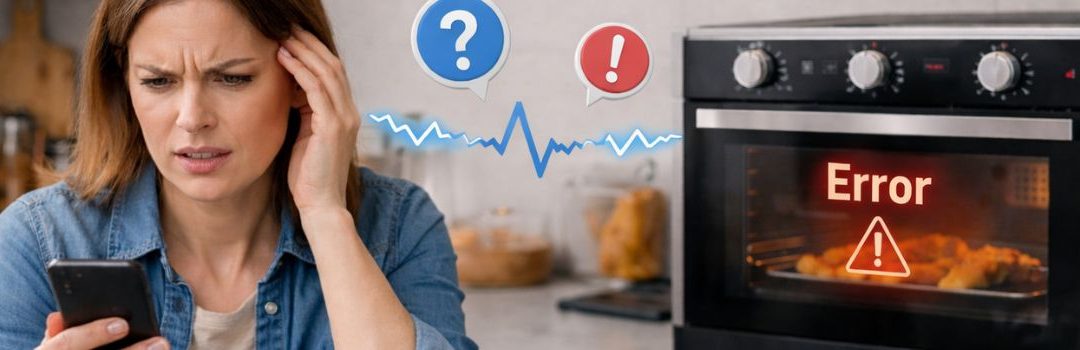
Common Smart Oven App Control Problems Across the City of Langley
Smart ovens have become increasingly popular in modern kitchens, offering advanced cooking features and enhanced convenience. These appliances allow users to monitor and control cooking remotely through dedicated smartphone apps, making meal preparation more efficient and flexible.
Remote app control is a crucial feature for many users, as it enables them to start, stop, or adjust cooking settings from anywhere, ensuring meals are cooked to perfection without constant supervision. This convenience saves time and reduces the risk of overcooking or undercooking food, and when problems appear, trusted oven repair professionals can help restore the functionality quickly.
However, residents of Langley have reported several challenges with smart oven app controls. Common issues include connectivity problems, app crashes, delayed responses, and difficulties syncing the oven with mobile devices. These problems can hinder the seamless experience that smart ovens promise, leading to frustration among users in the area.
Understanding Smart Oven Remote Control Functionality
How Smart Oven App Control Works
Smart oven app control relies on a seamless connection between the oven, the home Wi-Fi network, and the user’s mobile app. When the oven is connected to the home Wi-Fi, it communicates with cloud services, which act as intermediaries. These cloud services synchronize commands from the mobile app to the oven, ensuring that user inputs such as starting the oven or adjusting settings are transmitted accurately and in real-time.
This setup allows users to control their ovens remotely from anywhere with internet access. The synchronization process also enables the oven to send status updates back to the app, keeping users informed about the cooking progress.
Key Features of Smart Oven Remote Control
Smart oven remote control apps typically include several key features designed to enhance convenience and cooking precision:
- Remote Start and Stop: Users can start or stop the oven remotely, allowing them to preheat or turn off the oven without being physically present.
- Temperature Adjustments: The app lets users adjust cooking temperatures on the fly, ensuring flexibility if recipes or cooking conditions change.
- Monitoring Cooking Status: Real-time updates on cooking progress are available through the app, including timers and alerts when food is ready or if the oven requires attention.
These features collectively make managing cooking tasks simpler and more efficient, especially for busy users in the Langley area.
Common Causes of Smart Oven App Control Issues
Hardware-Related Issues
One common hardware-related cause of smart oven app control problems is the oven door not being fully closed. If the door isn’t properly shut, the oven may prevent remote start for safety reasons, which can be frustrating when trying to control the oven via the app remotely. Additionally, faulty control boards and thermal fuse failures can lead to the oven being unresponsive to app commands, requiring professional repair to restore functionality.
Software and App-Related Problems
The smart oven app itself can be a source of issues. Many apps include safety confirmations that must be acknowledged before the oven will start remotely; if these confirmations are missed or blocked, the oven won’t respond to remote commands. Furthermore, problems can arise after app updates, especially if the new version introduces bugs or compatibility issues. Users have reported connectivity problems following updates to apps like Smart HQ, which can disrupt communication between the app and the oven.
Connectivity and Network Issues
Smart ovens rely heavily on stable Wi-Fi connections to communicate with their control apps. Wi-Fi connectivity failures are a frequent cause of app control problems, as losing connection means the app cannot send commands to the oven. Additionally, many smart ovens depend on cloud services for synchronization; failures in these services or synchronization errors between the oven and app can cause malfunctions and prevent the app from working properly. Lastly, network configuration issues and router compatibility problems can interfere with the oven’s connection to the home network, further complicating app control.
Troubleshooting Steps for Langley Residents
Initial Checks
Begin by ensuring that the oven door is securely closed, as many smart ovens disable remote operation if the door is ajar. Next, verify the oven’s status lights and look for any error codes displayed. These indicators can provide immediate clues about what might be wrong.
Network Diagnostics
Check your home Wi-Fi signal strength and stability, as a weak or unstable connection often causes app control problems. Restart your router and the smart oven device to refresh the network connection. Additionally, confirm that the app has all the necessary permissions enabled on your smartphone and that it is updated to the latest version to avoid compatibility issues.
App-Specific Solutions
Try reinstalling the smart oven app or clearing its cache to resolve any software glitches. Review the safety settings within the app, ensuring any required confirmations or safety locks are properly configured. If problems persist, consult the manufacturer’s troubleshooting guides and reach out to their support channels for tailored assistance.
Impact of Smart Oven App Control Problems on Langley Residents
Smart oven app control problems have significantly affected residents in Langley, causing a range of issues in daily life. One of the most immediate impacts is the delays and inconvenience in meal preparation. When the app fails to communicate properly with the oven or malfunctions, users cannot start or adjust cooking remotely as intended. This disruption forces residents to spend extra time in the kitchen, often leading to frustration and missed meal schedules.
Beyond inconvenience, these app control issues can pose serious safety hazards. Unexpected oven behavior, such as ovens turning on or off without user command, increases the risk of burns, fires, or food contamination. Such malfunctions compromise the reliability of smart devices, making residents wary of fully trusting automated kitchen appliances.
Additionally, the financial burden on Langley residents has grown due to these problems. Frequent app failures often require professional repairs or service calls to fix underlying hardware or software issues. These unexpected expenses add up, causing increased costs that many residents had not anticipated when investing in smart oven technology.
Overall, the impact of smart oven app control problems extends beyond inconvenience, affecting safety and household budgets in Langley.
Conclusion
Smart oven app control problems in Langley often stem from connectivity issues, software glitches, or compatibility challenges. Common causes include unstable Wi-Fi connections, outdated app versions, and firmware mismatches. Solutions typically involve ensuring a strong and stable internet connection, keeping apps and device firmware up to date, and performing regular resets or reinstallations when necessary.
Proactive maintenance and timely troubleshooting are essential to prevent minor issues from escalating. Users should routinely check their smart oven’s settings, update software promptly, and address any error messages without delay to maintain smooth app control functionality.
Leveraging local resources in Langley can provide valuable support. Expert technicians and customer service centers in the area are equipped to assist with complex problems that go beyond basic troubleshooting. Engaging with these professionals ensures efficient resolution and helps users maximize the benefits of their smart oven technology.

LET’S CONNECT
OPEN HOURS
Mon-Fri: 8AM-6PM
Saturday: 10AM-6PM
Sunday: 10AM-6PM
QUICK LINKS:
LET’S CONNECT
(778) 600-1787
service@langleyappliancesrepair.ca
OPEN HOURS
Mon-Fri: 8AM-6PM
Saturday: 10AM-6PM
Sunday: 10AM-6PM
QUICK LINKS:
© 2025 Langley Appliances Repair All Rights Reserved | Privacy Policy | Sitemap