

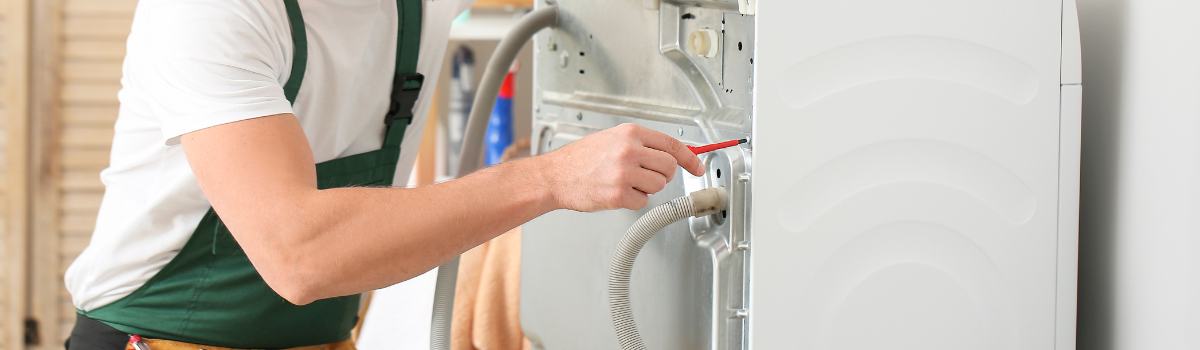
How to Replace a Samsung Washing Machine Water Pump
Understanding Water Pump Issues in Your Washing Machine
The water pump in your Samsung washing machine is essential for removing the water used during wash and spin cycles. If the pump stops working properly, you may notice leftover water in the drum, strange noises, sudsing issues or incomplete cycles. These problems can mess up your laundry routine and lead to bigger issues if not immediately fixed.
Although replacing a washing machine part may seem difficult, changing the water pump is something you can do if you’re comfortable with basic tools. This guide will walk you through each step simply. By doing this yourself, you could save on repair costs.
Symptoms of a Faulty Water Pump
Spotting the signs of a broken water pump can save you time and money. Knowing what to look for can also help you determine whether the pump is really causing the problem or something else.
- Washer Not Draining Properly: If water remains in the drum after a cycle, it usually means the pump isn’t working properly or has lost power altogether.
- Strange Noises During Drain Cycle: Grinding, humming, or buzzing sounds when the machine tries to drain could mean the pump is worn out or struggling due to a blockage.
- Standing Water in the Machine After Use: If there’s any water left in the machine, even a small amount, the pump may be having trouble. The pump should remove all water, so leftover water often means the pump is failing.
These signs help you determine whether it’s time to replace the pump or if another part needs attention.
Important Safety Precautions
Safety is key when working on any electrical appliance. Washing machines have electrical parts that could be dangerous if handled incorrectly. Here are some safety tips to follow:
- Disconnect the Power and Water Supplies: Unplug the washing machine to avoid electric shocks. Also, turn off the water supply to prevent leaks.
- Wear Protective Gear: Use gloves to protect your hands from sharp parts inside the washer. Safety glasses are also a good idea to keep dust and debris out of your eyes.
- Prepare a Clean, Dry Workspace: Ensure your work area is well-lit and clutter-free. Working in a dry spot reduces the risk of slipping and helps avoid contact between water and electrical parts.
By following these steps, you’ll be able to work safely and reduce the chance of accidents.
Tools and Materials Needed
Before starting, gathering the right tools and materials will make this repair faster and easier. Here’s what you’ll need:
- Phillips and Flathead Screwdrivers: These are necessary for removing screws and accessing parts inside the washer.
- Pliers: Useful for loosening and holding onto hoses or clips that keep the pump in place.
- Towels or a Bucket: These will catch any water that may spill when you disconnect the hoses, keeping your workspace dry and safe.
- Replacement Water Pump: Make sure the pump is the right fit for your Samsung model. Double-check your washer’s model number to ensure you have the correct part.
Having these tools ready will help prevent interruptions and make the replacement process smoother.
Preparing the Washer for Replacement
Draining Remaining Water
Before you reach the pump, you’ll need to drain any leftover water in the washer. This will keep things clean and prevent spills. Look for the drain hose or plug, usually at the bottom front of the washer. Place a bucket or towels under it and carefully let the water drain out until it’s empty.
Positioning the Washer
Once the water is drained, carefully move the washer to reach the back or bottom panel, where the pump is usually located. Lift with your knees, not your back, and ask someone to help if the washer is too heavy. Make sure you have space to work around the machine for easy access.
Step-by-Step Replacement Guide
Accessing the Water Pump
Now that the washer is in place, remove the panel that covers the water pump. Start by removing the screws or clips holding it. Use a screwdriver to take out each screw and keep them in a safe spot so you don’t lose them. Once the panel is off, you should see the water pump near the bottom of the machine.
Disconnecting the Faulty Pump
With the pump visible, start by disconnecting any hoses and electrical connections. Label the connections or take a picture with your phone to help you reassemble later. Use pliers to carefully remove hoses, and be gentle to avoid damaging the parts. This will give you enough space to remove the old pump.
Removing the Old Pump
Now, loosen the screws or bolts that hold the old pump to the washer’s frame. Handle it carefully to avoid damaging nearby parts. Lift the pump out of its position and set it aside. If it feels stuck, wiggle it gently to loosen it.
Installing the New Pump
Place the new pump where the old one was, securing it with the screws or bolts you saved earlier. Attach each hose and electrical connection to its matching port, making sure everything is tight to prevent leaks. Double-check that the pump is secure and the hoses are connected properly.
Reassembling the Washer
With the new pump installed, replace the panel on the washer and tighten all screws. Ensure everything is back in its original position and the panel is securely attached. This completes the repair part of the process.
Reassembling and Testing
Reassembling the Washer
Check to make sure every panel is tightly secured, with no screws left loose. This will keep the washer stable and help prevent leaks or noises during use.
Testing the Repair
Run a short test cycle to make sure the washer drains properly and that the new pump is working. Watch closely for any strange sounds, as these could indicate something isn’t installed correctly.
Checking for Leaks
During the test cycle, check around the pump area and hose connections for any leaks. If you see water escaping, pause the cycle, unplug the washer, and inspect the connections. Tightening hoses or fittings should fix minor leaks.
Troubleshooting Post-Replacement Issues
Sometimes, even with a new pump, minor problems can pop up. Here are a few common ones and how to fix them:
- Small Leaks: If you see minor leaks, try tightening the screws or hose clamps around the pump. Often, a small adjustment solves the problem.
- Unusual Noises: If the washer makes strange noises, check that the pump is securely attached and that no parts are loose.
- Ongoing Drainage Issues: If the washer still won’t drain or shows an error code, consider calling a professional. The problem might be with another part.
These tips can help you fix minor issues and keep your washer working as it should.
Maintenance Tips for Longevity
Regular maintenance can help your new water pump last longer. Here are some tips to keep it in good shape:
- Inspect for Blockages: Check the area around the pump regularly for any debris or sediment that could cause a clog.
- Clean the Filter Often: Cleaning the filter helps keep water flowing smoothly, which reduces strain on the pump.
- Don’t Overload the Washer: Stick to recommended load sizes to avoid overworking the pump, which could shorten its life.
By following these maintenance tips, you can keep your washer running smoothly and get the most out of your new pump.
Conclusion
Replacing the water pump in your Samsung washing machine might seem difficult at first, but with the right tools and steps, it’s doable for most people. A working water pump keeps your washer running well, so your laundry routine stays on track.
Remember, regular maintenance can prevent future problems and help your new pump last. If you’re ever unsure about the process, don’t hesitate to call a professional for help.

LET’S CONNECT
OPEN HOURS
Mon-Fri: 8AM-6PM
Saturday: 10AM-6PM
Sunday: 10AM-6PM
QUICK LINKS:
LET’S CONNECT
(778) 600-1787
service@langleyappliancesrepair.ca
OPEN HOURS
Mon-Fri: 8AM-6PM
Saturday: 10AM-6PM
Sunday: 10AM-6PM
QUICK LINKS:
© 2025 Langley Appliances Repair All Rights Reserved | Privacy Policy | Sitemap