

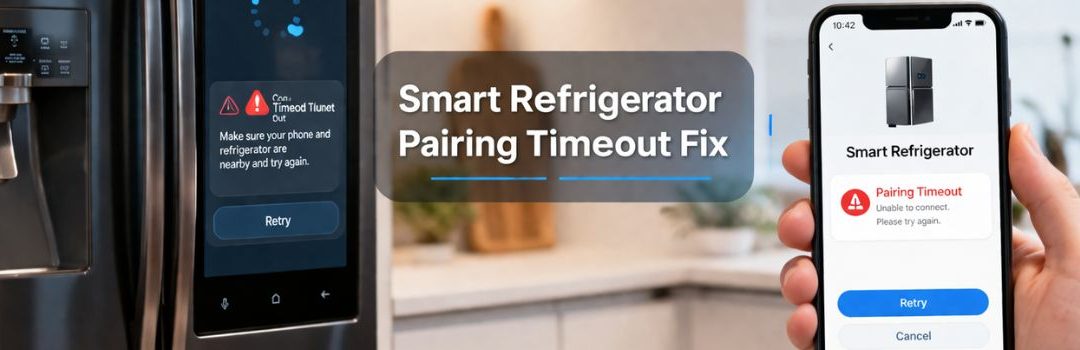
How to Solve Smart Refrigerator Pairing Timeout Problems in Langley
Smart refrigerators have become an integral part of modern homes, offering advanced features such as inventory tracking, temperature control, and integration with other smart devices. As more households adopt these appliances, the demand for reliable and seamless connectivity has grown significantly.
The smart features of these refrigerators rely heavily on stable wireless connections to function correctly. Without seamless connectivity, users may experience disruptions that affect the appliance’s performance and convenience, making refrigerator restoration services increasingly important.
One common issue faced by smart refrigerator owners in the Langley area is the pairing timeout problem. This occurs when the refrigerator fails to connect with the home network or companion devices within the expected time, leading to frustration and reduced functionality. Addressing this issue is essential to ensure that users can fully benefit from their smart appliances.
Understanding Smart Refrigerator Connectivity
How Smart Refrigerators Connect
Smart refrigerators typically connect to your home network via Wi-Fi, allowing you to control and monitor them remotely through smartphone apps. These apps provide features such as temperature adjustments, inventory tracking, and notifications. Most manufacturers use their own proprietary apps or platforms, with Samsung’s SmartThings being one of the most common. SmartThings and similar apps enable users to pair their refrigerators with the app, giving seamless control and integration with other smart home devices.
Common Connectivity Issues
Despite the convenience, smart refrigerators often face connectivity problems. Pairing timeout errors occur when the app fails to establish a connection with the refrigerator within a set time. This can be caused by weak Wi-Fi signals or interference. Wi-Fi disconnection is another frequent issue, where the refrigerator loses its connection to the home network, disrupting remote control functions.
Additionally, users sometimes experience registration failures on smart appliance apps like SmartThings, preventing the addition of devices to their account. This issue has been discussed by users on forums indicating it can be a widespread problem linked to app updates or network configurations.
Causes of Pairing Timeout in Langley
Network-Related Factors
One of the primary causes of pairing timeout issues with smart refrigerators in Langley is weak or unstable Wi-Fi signals commonly found in local homes. Poor signal strength or intermittent connectivity can interrupt the pairing process. Additionally, router compatibility plays a role; some routers may not fully support the frequency bands required by smart appliances, especially dual-band or newer Wi-Fi standards. Network congestion or interference from multiple devices operating simultaneously can also degrade network performance and cause pairing delays or failures.
Device-Specific Issues
Smart refrigerators themselves can experience firmware or software glitches that disrupt the pairing process. These glitches might prevent the device from properly communicating with the home network or the controlling app. Furthermore, certain models may have hardware limitations that affect pairing reliability. For example, some older or lower-end models might not support the latest connectivity protocols, leading to increased chances of timeouts during setup.
App and Account Issues
Problems related to the SmartThings app, such as login errors, account registration complications, or app version mismatches, can also cause pairing timeouts. If the app cannot authenticate the user or establish a stable connection with the refrigerator, the pairing process will fail. Ensuring that the app is up-to-date and the account is properly configured is essential to avoid these issues.
Diagnosing the Pairing Timeout Problem
Step-by-Step Troubleshooting
- Checking Wi-Fi Network Credentials and Settings
Ensure that the Wi-Fi network name (SSID) and password are correctly entered on your smart refrigerator. Incorrect credentials are a common reason for pairing timeouts. Verify that the Wi-Fi network is functioning properly and that the signal strength near the refrigerator is strong enough to maintain a stable connection. - Verifying Router Settings and Rebooting Devices
Check that your router is configured to allow new devices to connect and that no MAC address filtering is blocking the refrigerator. Sometimes, simply rebooting the router and the smart refrigerator can resolve temporary network glitches causing the timeout. - Resetting the Smart Refrigerator’s Network Module
If connection issues persist, reset the network module on the refrigerator. This process typically involves navigating through the refrigerator’s settings menu to find a network reset option or performing a hardware reset as outlined in the user manual. - Confirming App Updates and Compatibility
Ensure that the companion app used to pair with the refrigerator is up to date. Outdated or incompatible app versions can cause communication failures, resulting in pairing timeouts.
Identifying Error Codes
- The Samsung Refrigerator ‘AP’ error code indicates issues related to the appliance’s connectivity to the wireless access point. This error often appears when the refrigerator cannot establish or maintain a stable Wi-Fi connection, which directly relates to pairing timeout problems. Understanding this error can help pinpoint whether the issue is with the network or the refrigerator itself.
Effective Fixes for Pairing Timeout
Basic Fixes
If your smart refrigerator is experiencing pairing timeout issues, start with these simple troubleshooting steps:
- Restart the refrigerator and router: Power cycling both devices can resolve temporary connectivity glitches.
- Re-enter Wi-Fi credentials carefully: Make sure you input the correct network name and password to avoid authentication errors.
- Ensure the refrigerator is within Wi-Fi range: Position the appliance close enough to the router to maintain a strong signal.
Advanced Solutions
When basic fixes don’t work, try these more involved methods:
- Firmware updates for the refrigerator: Check for and install the latest firmware to improve connectivity and fix bugs.
- Factory reset of the appliance’s smart functions: Resetting can clear corrupted settings that cause pairing failures.
- Using a Wi-Fi extender or mesh network for better coverage: Enhancing your home network can eliminate dead zones and improve signal strength around the refrigerator.
App-Specific Fixes
Sometimes, the issue lies with the app used to manage your smart refrigerator:
- Reinstalling or updating the SmartThings app: Ensure you have the latest version to avoid compatibility problems.
- Clearing app cache and data: This can resolve glitches caused by corrupted temporary files.
- Managing Samsung account settings and permissions: Verify your account details and app permissions to allow seamless communication between the app and your refrigerator.
Conclusion
Resolving pairing timeout issues with your smart refrigerator is essential to maintain its full functionality and convenience. These problems can disrupt your appliance’s ability to connect to your home network, limiting features like remote monitoring and alerts.
Before considering costly repairs or replacements, it’s important to follow a systematic troubleshooting process. This can often resolve the issue quickly and save you time and money. Steps such as checking your Wi-Fi connection, resetting the refrigerator’s network settings, and ensuring your firmware is up to date should be your first approach.
If these measures do not fix the pairing timeout problem, contacting a trusted appliance repair service in the Langley area is the next best step. Professional technicians have the expertise to diagnose and resolve more complex issues efficiently.

LET’S CONNECT
OPEN HOURS
Mon-Fri: 8AM-6PM
Saturday: 10AM-6PM
Sunday: 10AM-6PM
QUICK LINKS:
LET’S CONNECT
(778) 600-1787
service@langleyappliancesrepair.ca
OPEN HOURS
Mon-Fri: 8AM-6PM
Saturday: 10AM-6PM
Sunday: 10AM-6PM
QUICK LINKS:
© 2025 Langley Appliances Repair All Rights Reserved | Privacy Policy | Sitemap